Know where you are exposed, before someone else finds out.
It looks over everything connected to your network, finds the weaknesses, and tells you in plain language which ones actually matter and how to fix them. When a client or an auditor asks what you did about it, you have the report.
What it does
-
A list of everything you have
Most companies do not have one. It keeps a running inventory of every computer, server and device on your network, and only ever looks at what you have authorized.
-
Non-intrusive by default
Authorized assets are scanned with non-intrusive settings by default — active testing is separately approved. Your systems keep working while it runs, including during business hours.
-
It knows what is being attacked right now
Every weakness it finds is matched against the public catalogs of what criminals are actively exploiting, so urgent means urgent rather than theoretical.
-
It tells you what to fix first
Instead of a list of two thousand items, you get the handful that matter, why they matter, and what to do — written to be read, not decoded.
-
It follows the fix through
From found, to fixed, to checked again. If you decide to accept a risk instead of fixing it, that decision expires and comes back to you.
-
Evidence-ready reporting
One report for the board, one for whoever does the work, and reports designed to support SOC 2 and PCI DSS evidence collection.
What it looks like to run it.
Three views from the platform: the exposure dashboard, the scan queue, and the prioritized findings — the loop that takes a vulnerability from found to fixed to verified.
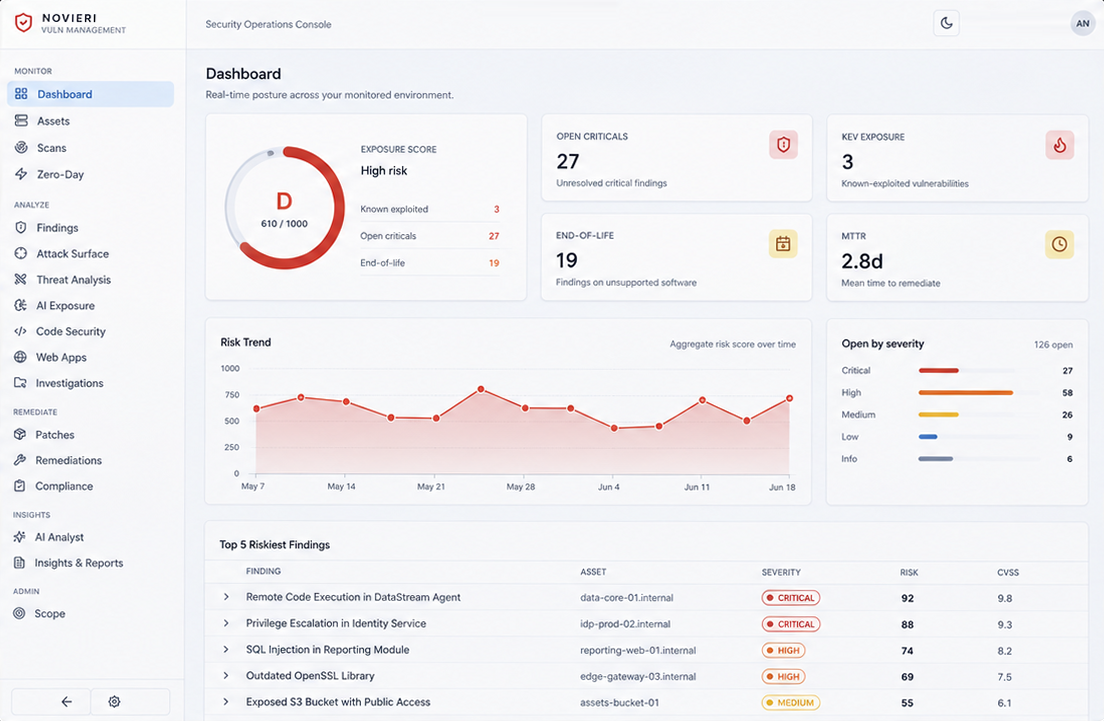
exposure dashboard
One score for the estate, and the four numbers that move it: open criticals, vulnerabilities already known to be exploited in the wild, findings on software the vendor no longer supports, and how long a fix is currently taking. The trend line is there so you can tell whether the number is falling.
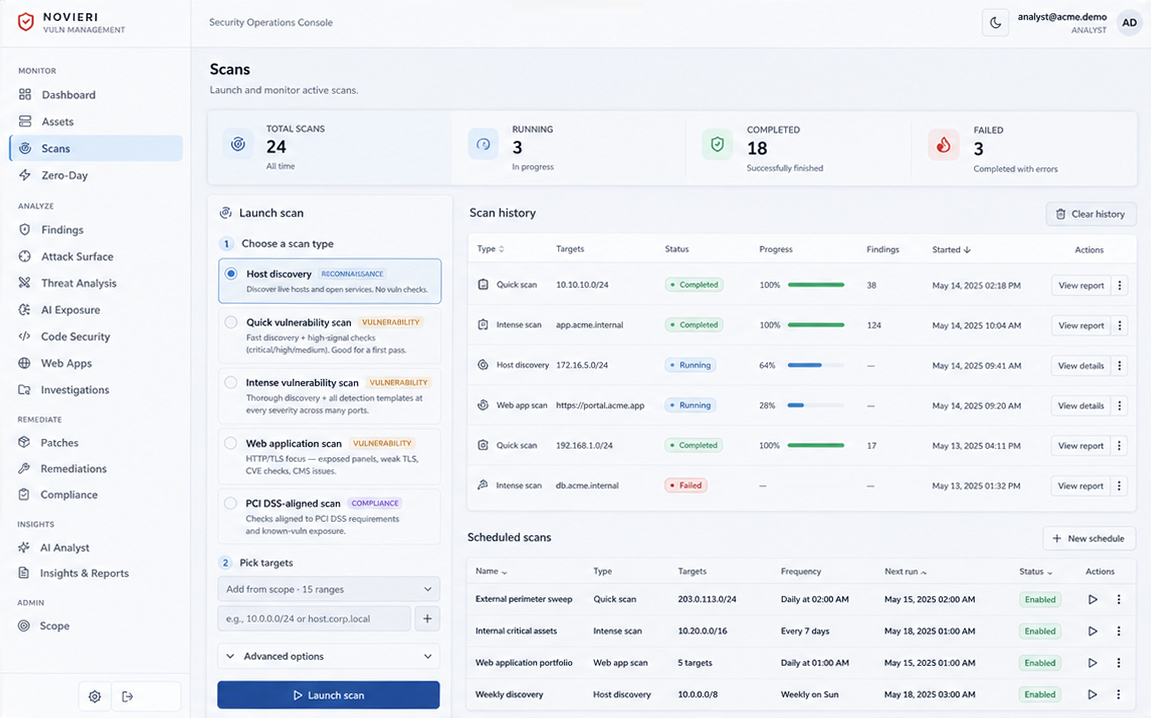
scans
Scans run to a schedule and to a scope you authorize — discovery, vulnerability and web application passes, plus a PCI DSS-aligned profile for the checks that assessment asks about. The history shows what ran, what it found, and what failed rather than only what succeeded.
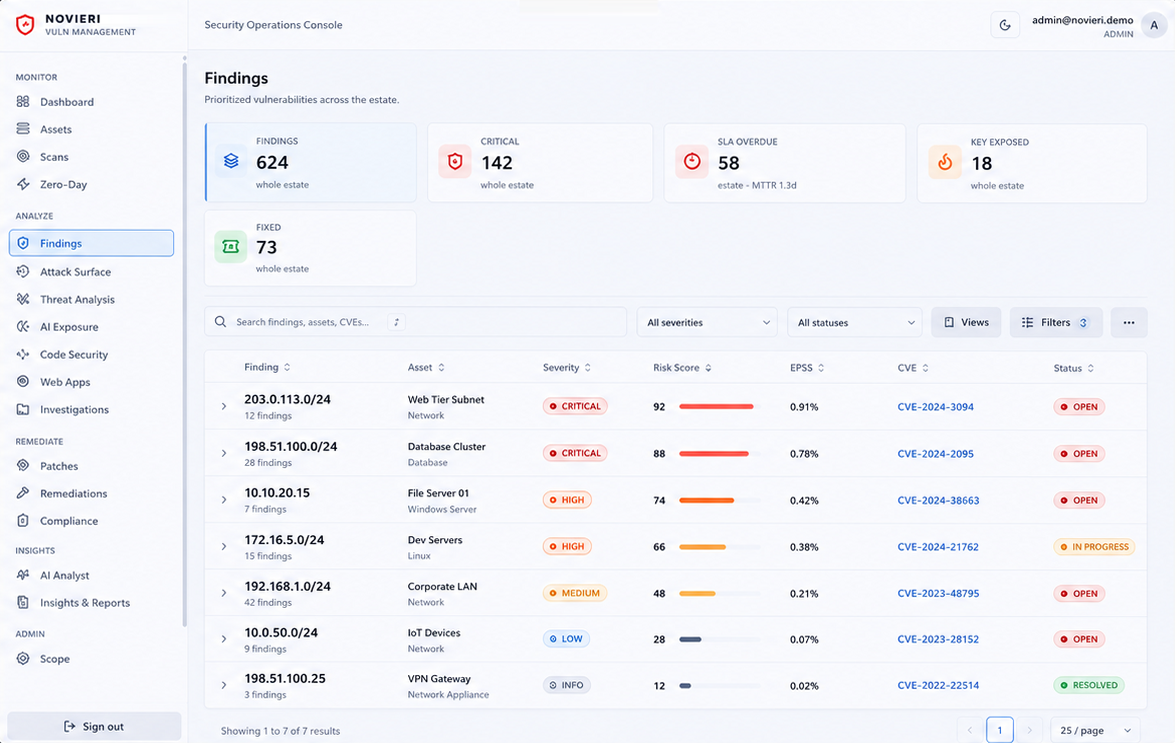
findings
Findings ordered by what to fix first, not by what was found first: severity next to a risk score, the EPSS probability that a vulnerability gets exploited, the CVE it maps to, and whether the clock on it has already run out. Every row names the asset it belongs to.
Interface mockups with sample data, not a client's environment: the findings, asset names and scores shown here are illustrative. What your own dashboard reports depends on the scope you authorize and what the scans actually find.
Defensive security, with the guardrails written into the code.
Authorized scope is allowlisted and enforced default-deny, safe mode is forced in code rather than configured, and every action lands in an audit log that cannot be edited. Role-based access control and multi-factor authentication server-side, hardened containerized deployment, and a large automated test suite behind all of it.
fastapi ·· nmap · nuclei · openvas ·· claude ·· postgresql ·· celery · redis ·· react
Each product is designed, built, and operated by the Novieri team — with the same enterprise practices as our services: security, monitoring, and continuous improvement. You're not buying software and getting left alone; you're buying a product with a team behind it.
next step
Want to see it running on your data?
Book a 30-minute demo and we'll show it applied to your case, no strings attached.